Crossword
Teazel LtdWord
4.0884.00 Reviews
- Version
- 1.71
- Installs
- 100.00K
- Age Rating
- Teen
Screenshots
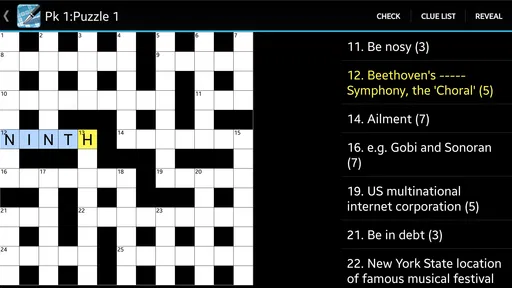
Our Review of Crossword
 Analysis by Appyee
I judge a crossword game less by grand promises than by whether it fits naturally into the gaps in my day. Teazel Ltd’s Crossword is a paid word game built around a large collection of puzzles, and its appeal is straightforward: open a grid, work through a few clues, and return to it when you have time. I’d consider it for short breaks or a quiet evening, especially if I prefer solving on my phone to carrying a puzzle book around.
Where solvers can get stuck
Crosswords often become frustrating at the point where several answers depend on one another. I might have a plausible entry, but a wrong letter can make the crossing clues harder rather than clearer. My practical advice is to treat uncertain answers as provisional: move to another part of the grid, solve a clue you can answer confidently, then come back and use the new crossing letters to reassess. That simple habit is more useful than staring at one stubborn clue until every possibility feels equally likely.
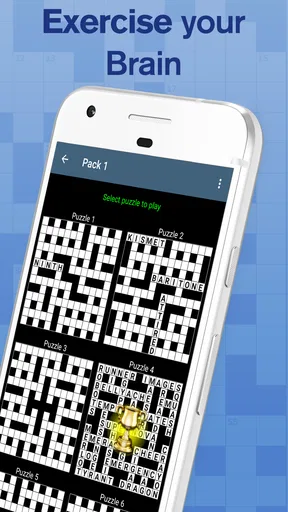
The game’s description points to a substantial collection of professional puzzles intended for casual sessions. That makes it a better fit for someone who wants a ready-made supply of grids than for a solver who expects a daily news-linked puzzle or a social competition. The collection is the central reason to consider it, but a large number of puzzles alone does not guarantee that every grid will match your preferred level. If you are particular about clue style, you may need to try a few before deciding whether the writing suits you.
Check the purchase and device fit first
Crossword costs $3.99, so I’d approach it as a one-time paid game rather than a free pastime. Before buying, I’d check that the device runs Android 6.0 or later and consider whether I actually want a dedicated crossword collection. The game has a Teen content rating, which is worth keeping in mind when choosing it for a younger player, though the rating by itself does not tell you how difficult the puzzles will feel.
Its current version is 1.67, and the game first appeared on November 3, 2010. It has a 4.1 average from around 5,600 ratings, with about 882 written reviews and over 100,000 installs. Those figures suggest that it has found an audience, but I would still weigh the basic fit more heavily: do you enjoy conventional crossword solving, and will you use a dedicated app often enough to justify paying for it?
One useful setup check is simply to make sure you are comfortable reading and entering letters on your particular screen. Small displays can make a long session tiring, even when the puzzle itself is well suited to a break. If you usually solve on a tablet or prefer paper, compare the comfort of those options before making a purchase. A phone is convenient for carrying a puzzle everywhere, but convenience does not automatically make it the most comfortable way to solve.
Making the most of a puzzle session
I use a puzzle session more comfortably when I give myself a small, flexible goal: fill a few familiar answers, then leave the grid at a natural pause rather than rushing to finish. That makes it easier to enjoy the collection in short breaks and to spot later whether a sticking point came from a mistaken crossing or simply an unfamiliar clue.
A workflow for uncertain answers
I find it helpful to begin with clues that feel familiar, then use their crossing letters to narrow down the harder entries. If I reach a dead end, I change direction rather than guessing repeatedly. With a collection of puzzles on hand, there is little reason to force one grid in a short break; I can stop at a natural point and pick another time to continue. This approach keeps the game relaxing instead of turning every session into a test.
For a coffee break, I’d decide in advance whether I want to finish a section of the grid or simply make a little progress. That small choice matters: trying to complete a puzzle before a meeting can turn a pleasant diversion into a race. If I only have a few minutes, I can focus on the clues I know and leave the open crossings for later. In a longer evening session, I can be more methodical and revisit the uncertain entries without watching the clock.
When a session does not go smoothly
If the puzzle seems stuck, I would first distinguish between not knowing an answer and having trouble using the app. For a solving problem, I’d review the crossing letters and check whether an early guess is restricting several clues. For a device or input problem, I’d pause, confirm that I am selecting the intended square, and try entering the answer again carefully. These are general troubleshooting steps, not a claim that the game has a particular recovery tool.
It also helps to avoid changing several answers at once when debugging a grid. I would revisit one uncertain word, compare its letters with the clues that cross it, and make a single correction before moving on. That keeps the source of a mismatch clear. If the difficulty is simply that the clue is unfamiliar, taking a short break can be more productive than filling the grid with guesses.
How it compares with other ways to solve
Compared with a paper crossword, a phone game is easier to carry and can be convenient when I have a few spare minutes, but paper may be more comfortable for people who like to see the whole grid at once or write tentative letters in the margin. Compared with free crossword options, this paid title makes sense if I value having a dedicated collection in one place. If I mainly want a fresh puzzle tied to a particular publication or a daily routine, an alternative centered on that habit may suit me better.
It is also a different choice from word games built around anagrams, rapid rounds, or head-to-head play. Crossword solving rewards clue interpretation and the way answers intersect; it is not ideal if I want constant action or a quick score-based challenge. I would choose this game for focused, self-paced wordplay, not as a substitute for every kind of word puzzle.
Who will enjoy it, and who may want another option
I’d recommend Crossword to people who already like traditional grids, want a sizeable collection to work through, and appreciate a game that can be picked up in short sessions. It may also suit someone returning to crosswords after a long break: starting with the clues that come easily and letting crossings do some of the work is a low-pressure way to get back into the habit.
I would skip it if I rarely solve crosswords, strongly prefer free games, or need a specific feature such as a daily themed challenge, an online opponent, or a particular puzzle source. Those preferences are not minor details; they change what makes a crossword app worthwhile. Likewise, anyone who dislikes reading clues on a small screen may be happier with paper or a larger device.
My practical verdict
For me, the case for Teazel Ltd’s game is its focused premise: a paid word game with a substantial set of crosswords, aimed at casual solving rather than a complicated gaming routine. Its 4.1 average and more than 100,000 installs offer some context for its audience, but they cannot tell me whether its clue style will click with an individual solver. I’d use the purchase decision to ask a simpler question: will I return to crosswords often enough to enjoy having a dedicated collection?
If the answer is yes, Crossword is a reasonable option to consider at $3.99. If I am unsure, I would first think about how I like to solve, how much screen time feels comfortable, and whether I want a broad collection or a more specific daily format. That is the real trade-off: a convenient, focused crossword game can make spare minutes more enjoyable, but it is only worth keeping if the act of working through its grids is what I want from a word game.
First impressions and the feel of the game
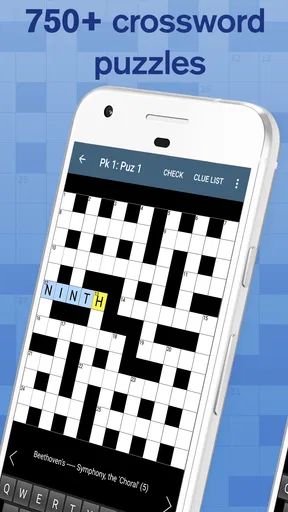
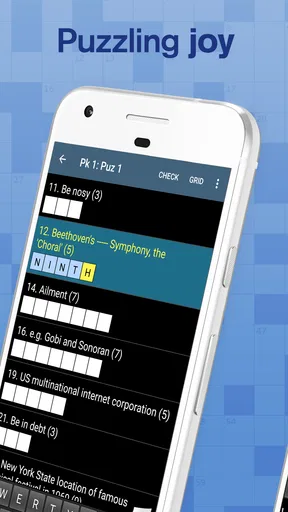
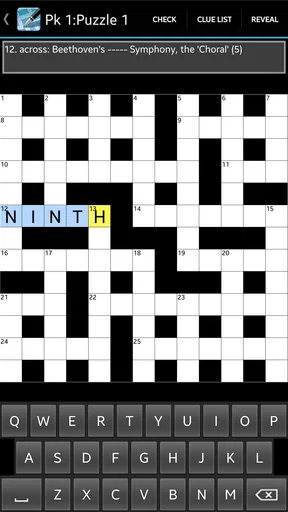
Upon launching the Crossword app, you’re greeted with a clean and intuitive interface. It's like walking into a cozy little bookstore where you can instantly smell the pages and feel the excitement of solving mysteries. The design is minimalistic yet functional, making navigation a breeze even if you’re not tech-savvy. I appreciate how the developers have kept everything straightforward, ensuring that the focus remains on the puzzles themselves.
Puzzle variety and complexity
This app is a treasure trove of puzzles. You’ll find anything from quick, easy grids to mind-bending challenges that might require a dictionary and a cup of coffee. The variety is impressive, and it’s perfect for those days when you want to chill with a simple puzzle or when you’re ready to tackle a tough one. The app updates regularly with fresh puzzles, so you never run out of new grids to solve.
For those who are competitive by nature, there’s an option to time yourself. It’s a great way to challenge yourself and track your progress over time. And if you’re someone who loves sharing their achievements, you can boast about your times to friends or even on social media. It’s fun and adds a little extra motivation to improve.
Helpful features for every solver
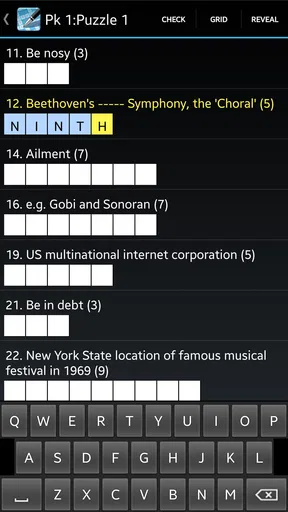
The app is packed with features designed to make your solving experience as smooth as possible. For instance, if you get stuck, there’s a handy hint feature. But use it wisely; it’s tempting to rely on it too much! Then there’s the option to check if your current entries are correct without revealing the entire answer. It’s like having a gentle nudge from a friend who knows the answer but wants you to figure it out on your own.
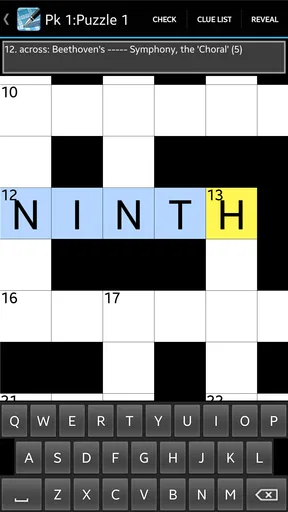
Another cool feature is the ability to customize the look of your puzzle. You can choose different themes and even adjust the font size, which is a lifesaver for those of us who might be squinting at small text. It’s these little touches that really make the app user-friendly.
Community and social integration
One of the things I love most about this app is its sense of community. You can connect with other solvers, share tips, or even challenge them to a puzzle-off. It’s a great way to meet fellow crossword enthusiasts and learn new solving strategies. Plus, the app’s social features are seamlessly integrated, so you never feel like you’re stepping out of your puzzle zone to engage with others.
And for the competitive spirit in you, there are leaderboards! It’s always thrilling to see your name climb up the ranks, and it’s a fun way to compare your skills with others.
Final thoughts
So, should you download the Crossword app? Absolutely! It’s a fantastic tool for anyone who loves puzzles. With its wide range of puzzles, user-friendly interface, and vibrant social community, it’s a must-have in your app collection. Whether you’re a crossword newbie or a seasoned solver, this app will keep you engaged and entertained.
If you’re ready to put your word skills to the test and join a community of like-minded individuals, this app is definitely worth a try. Happy puzzling!
Verdict
Strengths of Crossword
- Engaging puzzles keep the mind sharp.
- Daily challenges offer fresh content.
- Hints available for tricky words.
- User-friendly interface enhances experience.
- Offline mode for play anywhere.
Limitations of Crossword
- Occasional ads disrupt gameplay.
- Limited hints without in-app purchases.
- Some puzzles may feel repetitive.
- Requires internet for updated puzzles.
- Battery consumption can be high.
Other Releases by Teazel Ltd
View All
Cryptic Crossword
Word4.4
Similar Picks in This Category
View All
Word Search - Word Puzzle Game
Bluetile4.8

Word Search Quest - Puzzles
Blackout Lab4.8

CodyCross: Crossword Puzzles
Fanatee, Inc.4.7

Words of Wonders: Crossword
Fugo Games4.9

Wordscapes: Word puzzle game
PeopleFun4.7

Word Search Explorer
PlaySimple Games4.9
Frequently Asked Questions
What platforms is the Crossword app available on?
The Crossword app is available on both Android and iOS platforms. You can download it from the Google Play Store for Android devices and the Apple App Store for iOS devices. Ensure your device meets the minimum system requirements for optimal performance and functionality.
Is the Crossword app free to use?
The Crossword app offers a free version with access to a variety of puzzles. However, there may be in-app purchases or subscription options that provide additional features, such as exclusive puzzles, hints, and an ad-free experience. Check the app’s store listing for specific pricing details.
Can I play the Crossword app offline?
Yes, the Crossword app allows you to download puzzles for offline play. This means you can enjoy solving puzzles without the need for an internet connection, making it perfect for travel or areas with limited connectivity. Make sure to download your puzzles while you have internet access.
Does the Crossword app support multiple difficulty levels?
The Crossword app typically offers puzzles ranging from easy to challenging, catering to both beginners and experienced players. Users can select their preferred difficulty level, allowing them to improve their skills progressively or simply enjoy a relaxing puzzle-solving session.
Are there any social features in the Crossword app?
Many crossword apps include social features, such as leaderboards, achievements, and the ability to share scores with friends. Some may also offer multiplayer modes, where you can challenge friends or collaborate on puzzles. Check the app’s features to see what social options are available.
Play our best games!


